
Superbuy Spreadsheet
Find sneakers, streetwear, bags, and more for your next Superbuy haul. Search 20,000+ listings on FindsIndex. Compare reference prices, then open a listing to check sizes and options.
Before you order
-
Shipping Research
Compare shipping routes and delivery options before you order.
-
QC Inspection
Review warehouse photos to spot issues before your parcel ships.
-
Buyer Protection
Check the return, refund, and dispute terms before you pay.
-
Safety First
Verify the seller and website before sharing payment or contact details.
Shop by category
All categories on FindsIndexFeatured finds
Compare selected listings by category. Reference prices exclude shipping. Check the current price on FindsIndex.
-

Shoes
Nike x Stussy Air Max Zero Beige Sneakers
≈ $30.80 USD
Compare insole length against a pair that fits.
-

Hoodies & Sweaters
Nike x Supreme Loster Graphic Hoodie White
≈ $44.35 USD
Check the back print and compare chest width.
-

Bags
Nike Backpack Pink and Black
≈ $15.87 USD
Compare the main compartment dimensions with what you carry.
-

Jackets
The North Face Venture 2 Jacket Black Windbreaker
≈ $36.97 USD
Leave room for a layer when comparing chest and sleeve measurements.
-

Pants & Shorts
Nike Tech Fleece Joggers Purple and Black
≈ $15.54 USD
Compare relaxed waist and inseam with a pair you own.
-

Accessories
Vans Classic Square Sunglasses Teal Gradient
≈ $17.44 USD
Check frame width and ask for the lens specification.
-

Shoes
Adidas Lightstrike Pro Black Silver Running Shoes
≈ $39.20 USD
Check the seller’s size chart for the selected style.
-

Hoodies & Sweaters
Stussy Chengdu Hoodie Black
≈ $17.92 USD
Compare body length and confirm which print is on each side.
-

T-Shirts
Balenciaga AG Logo Print Black Sleeveless T-Shirt
≈ ¥176 CNY
-

Sports Jerseys
NBA Phoenix Suns Chris Paul #3 Authentic Jersey Purple
≈ ¥99 CNY
-

Hoodies & Sweaters
Dior Oblique Stripe Knit Sweater Navy
≈ ¥220 CNY
-

Pants & Shorts
Carhartt Cargo Shorts Black Washed Denim
≈ ¥135 CNY
-

Electronics
Apple Watch Ultra 2 White Ocean Band Smartwatch
≈ ¥204 CNY
-

Perfume
Givenchy L'Interdit Eau de Parfum Amber 80ml Perfume
≈ ¥180 CNY
-

Jewelry
Louis Vuitton Monogram Flower LV Bracelet Black and Gold Bracelet Jewelry
≈ ¥60.80 CNY
-

Kids
England Football Association Kids Kit White / Red / Blue Jersey and Shorts Set
≈ ¥87.78 CNY
-

T-Shirts
Moncler Logo Patch Pocket White T-Shirt
≈ ¥166.50 CNY
-

Bags
Coach Signature Print Phone Crossbody Case in Blue
≈ $24.92 USD
Check that your phone fits with its case on.
-

Shoes
New Balance 9060 White/Black Sneakers
≈ $11.23 USD
Check the outsole color and size on both shoes.
-

Sports Jerseys
Mitchell & Ness Hardwood Classics Allen Iverson 1997-98 Philadelphia 76ers Jersey Blue
≈ ¥158 CNY
-

Hoodies & Sweaters
Lacoste Crocodile Logo Graphic Sweatshirt Gray Hoodie
≈ $13.72 USD
Check the graphic placement and cuff finish.
-

Bags
Lacoste City Sling Bag Black Geometric Print
≈ $15.12 USD
Check the adjustable strap range and main zipper.
-

Hoodies & Sweaters
Amiri Floral Embroidery Gray Crewneck Sweatshirt
≈ ¥430.56 CNY
-

Shoes
Puma Suede Classic+ Beige and Yellow Sneakers
≈ $25.20 USD
Check close-ups of the toe and suede finish.
-

Hoodies & Sweaters
MLB New York Yankees Black Full-Zip Hoodie
≈ $24.50 USD
Look at the zipper and compare sleeve length with a hoodie you own.
-

Pants & Shorts
A Bathing Ape x Undefeated Camo Print Shorts Black / White
≈ ¥87.40 CNY
-

Bags
Adidas Duffel Bag Red Black Camo Print
≈ $15.40 USD
Confirm the packed size and whether a shoulder strap is included.
-
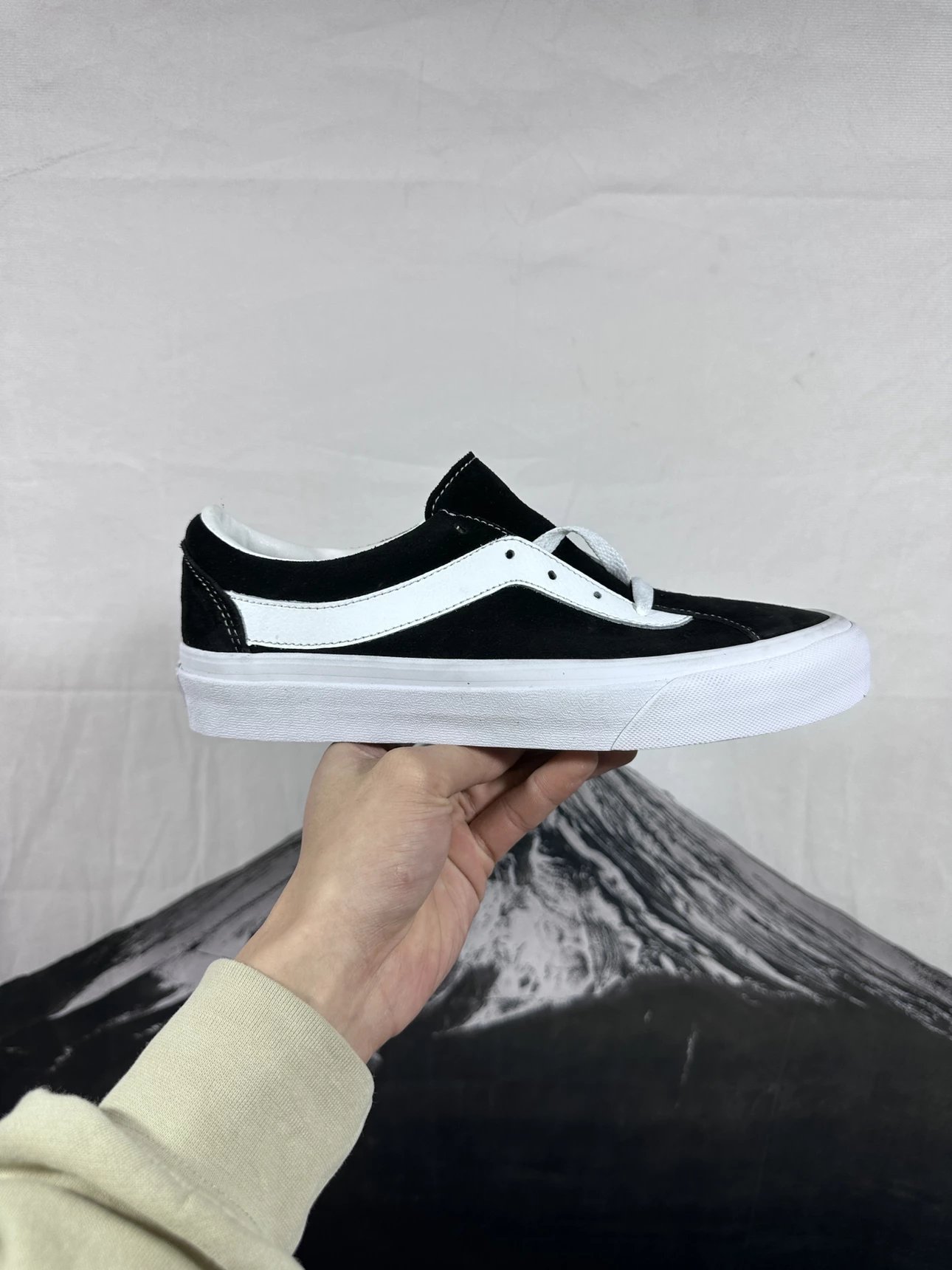
Shoes
Vans Old Skool Black and White Suede Skate Shoes
≈ $18.31 USD
Compare insole length and check stitching around the side stripe.
-

Electronics
Dyson Supersonic Hair Dryer Iridescent Purple Electronics
≈ ¥471.25 CNY
-

Hoodies & Sweaters
Carhartt Work In Progress Gray Hoodie
≈ $19.32 USD
Compare body length and ask whether the lining is brushed.
-

Bags
Polo Ralph Lauren Bear Tote Bag Set Navy Blue
≈ $21.00 USD
Confirm which pieces are included and check the handle drop.
-

Perfume
Louis Vuitton Les Parfums Collection Set Apogée, Contre Moi, Le Jour Se Lève, Rose Des Vents Perfume
≈ ¥170 CNY
-

Shoes
Nike Air VaporMax Flyknit 3 Purple Running Shoes
≈ ¥200 CNY
-

Hoodies & Sweaters
Stone Island Stone Island Logo Graphic Hoodie Gray
≈ ¥168 CNY
-

Jewelry
Chrome Hearts Floral Cross Bracelet Silver
≈ ¥140.99 CNY
-

Bags
Prada Re-Nylon Mini Backpack Pink
≈ ¥342 CNY
-

Jackets
Travis Scott x Corteiz Eagle Print Windbreaker Light Blue Outerwear
≈ ¥237.60 CNY
-

Kids
A Bathing Ape Kids Bape Logo Graphic T-Shirt White
≈ ¥136.80 CNY
-

Pants & Shorts
Chrome Hearts White Denim Jeans
≈ ¥218 CNY
-

Accessories
Coach Pebbled Leather Bifold Wallet and Key Ring Set Black Wallets
≈ ¥89 CNY
-

T-Shirts
Gucci Animal Print GG Logo Black T-Shirt
≈ ¥145 CNY
-

Shoes
Maison Margiela Tabi Skeleton Denim Low-Top Sneakers
≈ ¥662 CNY
-

Hoodies & Sweaters
Burberry Thomas Burberry 1856 Knight Graphic Black Hoodie
≈ ¥179 CNY
-
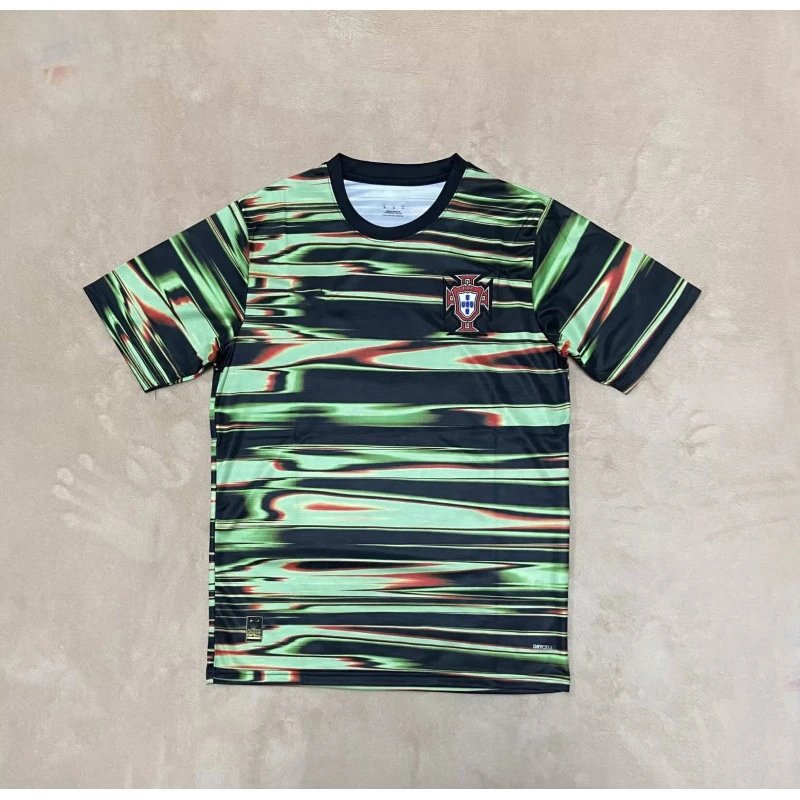
Sports Jerseys
Portugal National Team 2022 World Cup Third Kit Green-Black Wave Pattern Jersey
≈ ¥110.20 CNY
-

Bags
Louis Vuitton Monogram Pochette Métis Mini Crossbody Bag Pink
≈ ¥90 CNY
-

Jackets
Polo Ralph Lauren Windbreaker Gray Outerwear
≈ ¥358 CNY
-

Hoodies & Sweaters
Lacoste Classic Ribbed V-Neck Cardigan Navy Blue
≈ ¥175 CNY
-

Pants & Shorts
Adidas Originals Track Pants Black Pink Butterfly Embroidery Sweatpants
≈ ¥237.60 CNY
-

Accessories
Coach OAC Mini Wallet Red Leather Short Wallet
≈ ¥100 CNY
-

Pants & Shorts
Air Jordan x Corteiz Patterned Black Shorts
≈ ¥154.80 CNY
-

Shoes
Nike Air Max Plus Neon Green Blue Sneakers
≈ ¥150 CNY
-

Hoodies & Sweaters
Corteiz Graphic Print Gray Hoodie
≈ ¥111 CNY
-

Electronics
Dyson Supersonic Hair Dryer Red and Gray Electronics
≈ ¥783 CNY
-

Bags
Louis Vuitton Monogram Eclipse White Backpack Mini Backpack
≈ ¥300 CNY
-

Jackets
Adidas x Japan National Team Manga Windbreaker Navy Blue
≈ ¥171.36 CNY
-

Perfume
Prada Paradoxe Eau de Parfum Mini Set Pink Orange Amber Perfume
≈ ¥180 CNY
-

Pants & Shorts
Balenciaga Jeans Black Washed Denim Skirt
≈ ¥199 CNY
-

Accessories
Gucci GG Marmont Canvas Bifold Wallet Beige Multicolor Short Wallet
≈ ¥94.40 CNY
-

Jewelry
Gucci Snake Ring Black Oxidized Silver Ring Jewelry
≈ ¥140 CNY
-

Shoes
Louis Vuitton Multicolor Monogram Mary Jane Flats Casual Shoes
≈ ¥191.10 CNY
-

Hoodies & Sweaters
Supreme Multicolor Logo Hoodie Gray
≈ ¥170 CNY
-

Kids
FC Barcelona Home Kit 2016-17 Children's Jersey and Shorts Set Blue and Burgundy
≈ ¥103.40 CNY
-

Bags
Louis Vuitton Monogram Shirt-Shape Crossbody Bag Multicolor
≈ ¥371 CNY
-

Jackets
Burberry Quilted Jacket Beige with Black Corduroy Collar Outerwear
≈ ¥495 CNY
-

T-Shirts
Gallery Dept Pizza Logo Black T-Shirt
≈ ¥142.56 CNY
-

Pants & Shorts
Carhartt Work In Progress Straight Fit Raw Denim Jeans
≈ ¥207 CNY
-

Accessories
Gucci GG Marmont Web Stripe Navy Blue Short Wallet
≈ ¥77 CNY
-

Sports Jerseys
Mitchell & Ness Atlanta Hawks Throwback Jersey Blue
≈ ¥99 CNY
-

Shoes
Gucci x Adidas Originals Rivalry Low GG Monogram Beige Green Sneakers
≈ ¥475 CNY
-

Hoodies & Sweaters
Gallery Dept x Saint Tears Bandana Rabbit Hoodie Black
≈ ¥132 CNY
-

Hoodies & Sweaters
Balenciaga Lenciaga All-Over Logo Beige Knit Sweater
≈ ¥245.52 CNY
-

Bags
Louis Vuitton Speedy 20 Damier Azur White Beige Red Handbag
≈ ¥332 CNY
-

Jackets
Burberry Down Jacket Gray Hooded Puffer with Check Lining
≈ ¥230 CNY
-

Pants & Shorts
Cole Buxton CB Logo Terry Shorts White Shorts
≈ ¥228 CNY
-

Pants & Shorts
Chrome Hearts Cross-Embellished Distressed Black Denim Jeans
≈ ¥232 CNY
-

Accessories
Supreme Box Logo Embroidered Short Wallet Black
≈ ¥116.25 CNY
-

Electronics
Dyson Supersonic Hair Dryer Red Edition Hair Dryer
≈ ¥400 CNY
-

Shoes
Louis Vuitton Archlight Sneakers Beige Suede Sneakers
≈ ¥441 CNY
-

Hoodies & Sweaters
Supreme Zebra Print Hoodie White
≈ ¥178 CNY
-
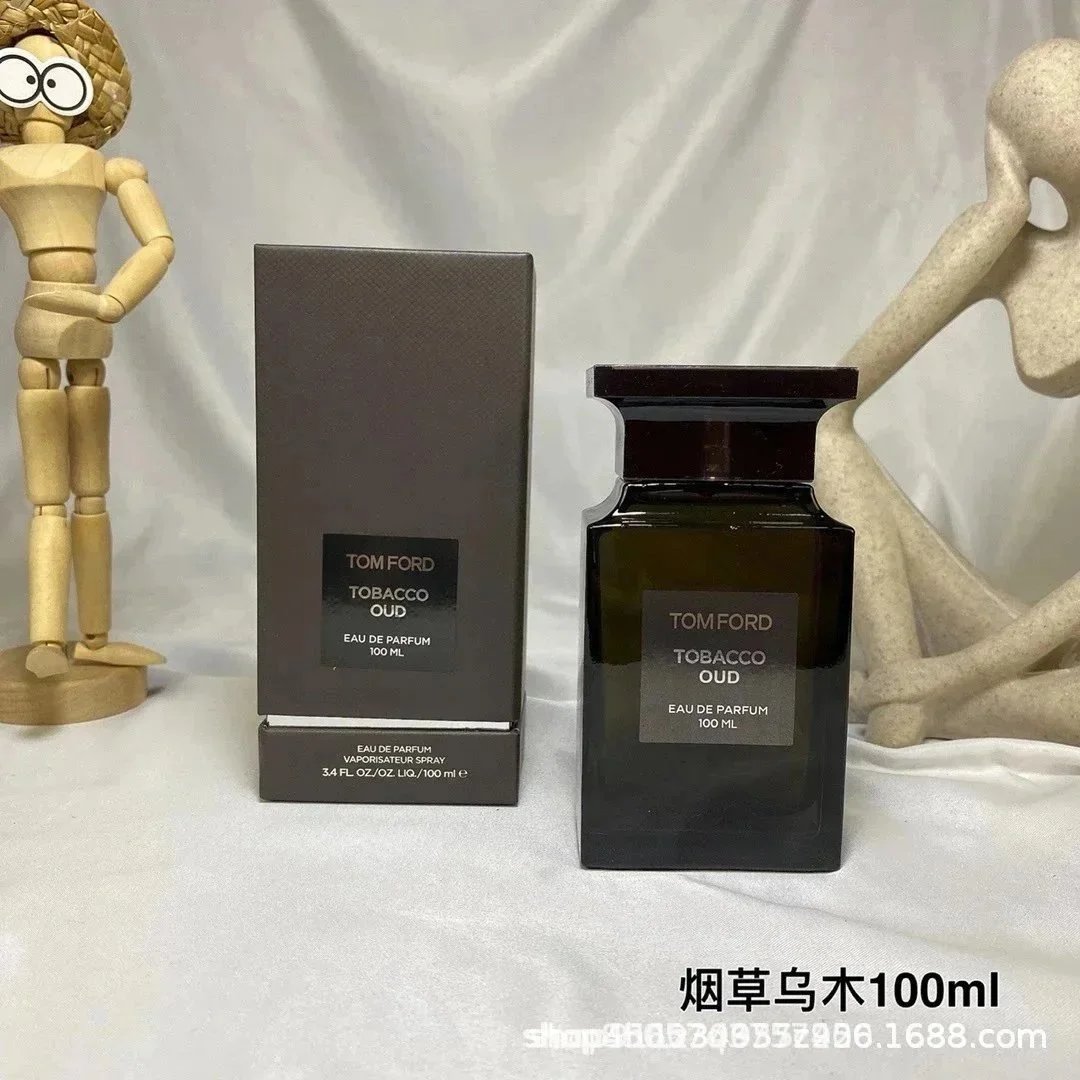
Perfume
Tom Ford Tobacco Oud Eau De Parfum 100ml Perfume
≈ ¥119 CNY
-

Bags
Gucci Jackie 1961 Mini Burgundy Leather Handbag
≈ ¥280 CNY
-

Jackets
Moncler Maya Down Jacket Black Glossy Finish Down-Jacket
≈ ¥238 CNY
-

Jewelry
Louis Vuitton Monogram Flower Charm Bracelet Gold Blue Yellow Jewelry
≈ ¥183.60 CNY
-

Pants & Shorts
Gallery Dept. Flame-Print Flared Jeans Multicolor
≈ ¥258 CNY
-

Accessories
Louis Vuitton x A Bathing Ape Monogram Camo Eye Print Bifold Wallet
≈ ¥368 CNY
-

Kids
Essentials Oversized Hoodie and Sweatpants Set Yellow Kids
≈ ¥228.78 CNY
-

Shoes
Nike x Sacai VaporWaffle Black/White Sneakers
≈ ¥359 CNY
-

Hoodies & Sweaters
Stone Island Raglan Hoodie Pink and Cream
≈ ¥148.50 CNY
-

T-Shirts
Nike x NBA Los Angeles Lakers LA Graphic T-Shirt White
≈ ¥94.80 CNY
-

Bags
Chanel Phone Holder Chain Bag Burgundy Caviar Leather Crossbody Bags
≈ ¥260 CNY
-

Jackets
Moncler Genius Down Jacket Dusty Pink Parka
≈ ¥612 CNY
-

Sports Jerseys
Mitchell & Ness Hardwood Classics Seattle SuperSonics #40 Green Jersey
≈ ¥158 CNY
-

Pants & Shorts
Gallery Dept. Brushstroke Logo Black Joggers
≈ ¥88 CNY
-

Accessories
Hermès Limited Edition Green Togo Leather Kite Flying Motif Bifold Wallet Short Wallet
≈ ¥89.70 CNY
-

Hoodies & Sweaters
Thom Browne Four-Bar Stripe White V-Neck Cardigan
≈ ¥234 CNY
-

Shoes
Nike Zoom Mercurial Superfly IX Kylian Mbappé Blue Multicolor Football Cleats
≈ ¥310 CNY
-

Hoodies & Sweaters
Gucci GG 1921 Logo Hoodie White
≈ ¥210 CNY
-

Pants & Shorts
Broken Planet Graphic Shorts Green / White
≈ ¥136.40 CNY
-

Bags
Prada Re-Nylon Mini Tote Bag Black Woven
≈ ¥335 CNY
-

Jackets
Burberry Down Jacket Beige with Iconic Check Hood Lining
≈ ¥588 CNY
-

Electronics
JBL Tour Pro 2 TWS Earbuds Black and Beige
≈ ¥180 CNY
-

Pants & Shorts
Balenciaga Distressed Dip-Dye Flared Jeans Black
≈ ¥220 CNY
-

Accessories
Louis Vuitton Monogram Winter Scene Card Holder White
≈ ¥68 CNY
-

Perfume
Tom Ford Oud Wood Eau de Parfum Perfume
≈ ¥127.50 CNY
-

Shoes
Nike Shox R4 Black Marble Sneakers
≈ ¥300 CNY
-

Hoodies & Sweaters
Balenciaga BB Logo Graphic Sweatshirt Black
≈ ¥278.40 CNY
-

Jewelry
Los Angeles Lakers 2009 NBA Championship Ring Gold Crystal Jewelry
≈ ¥83.20 CNY
-

Bags
Louis Vuitton Mini Speedy Bag Beige Monogram Leather Handbag
≈ ¥168 CNY
-

Jackets
Moncler Maya White Down Jacket with Fur Trim
≈ ¥788 CNY
-
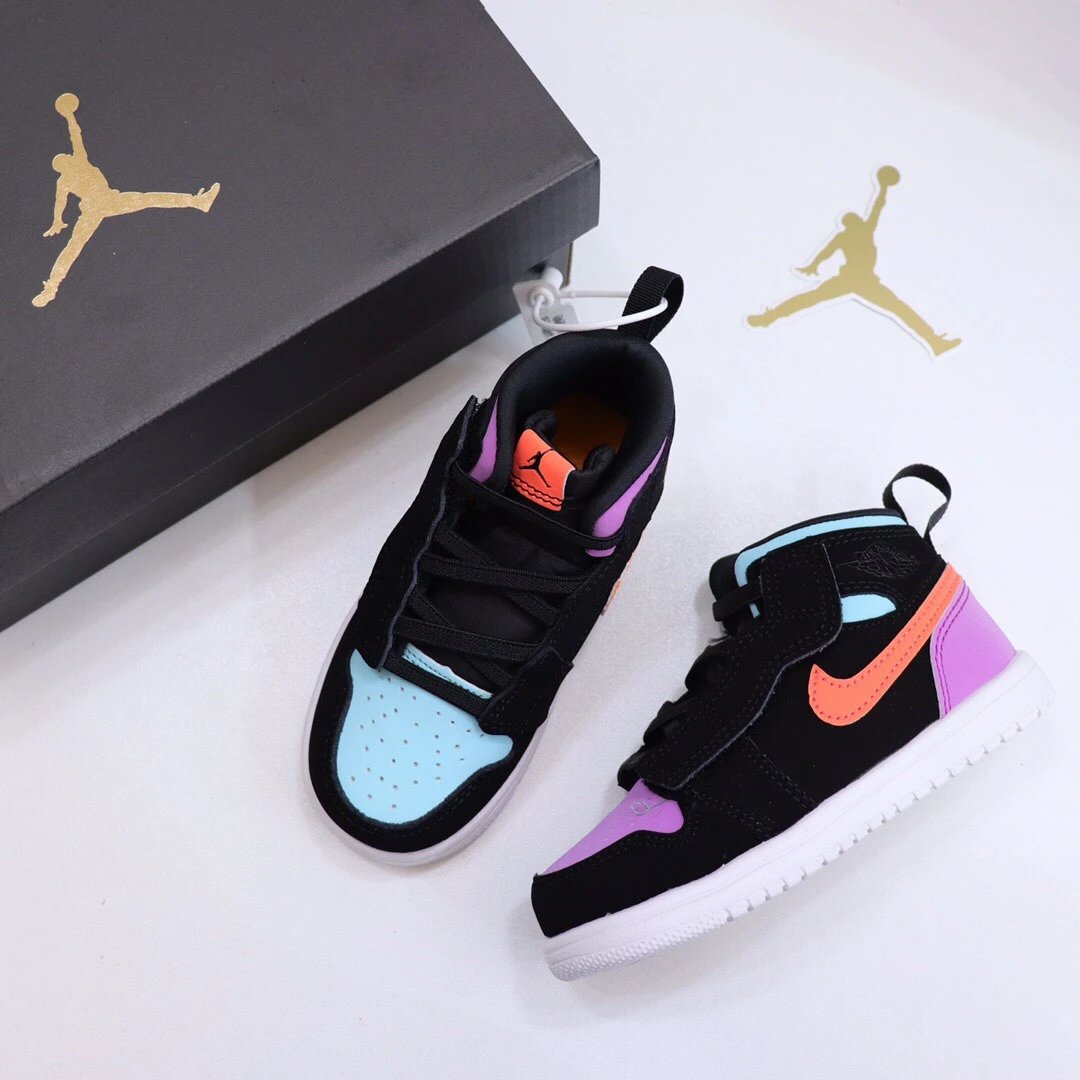
Kids
Air Jordan 1 Mid SE 'Color Block' Black Aqua Orange Purple Kids Sneakers Basketball Shoes
≈ ¥107.99 CNY
-

Pants & Shorts
Chrome Hearts Cross Logo Sweatpants Gray
≈ ¥374 CNY
-

Accessories
Coach Mini Zip Wallet Burgundy and Signature Canvas Wallet Short Wallet
≈ ¥73.50 CNY
-

T-Shirts
Represent Owners' Club Washed Black T-Shirt
≈ ¥99.60 CNY
-

Shoes
Dior B23 Low Gray Suede and Leather Sneakers
≈ ¥306 CNY
-

Hoodies & Sweaters
Gucci Wave Logo Black Hoodie
≈ ¥230 CNY
-

Sports Jerseys
Real Madrid x Adidas 2023-24 Third Jersey Multicolor Jersey
≈ ¥109.72 CNY
-

Bags
Prada Re-Nylon Bucket Backpack Black
≈ ¥335 CNY
-

Jackets
Canada Goose Lightweight Down Jacket Charcoal Gray Down-Jacket
≈ ¥625.60 CNY
-

Hoodies & Sweaters
Gucci Striped Crewneck Sweater Navy and Yellow
≈ ¥276 CNY
-

Pants & Shorts
Off-White Industrial Logo Sweatpants Black
≈ ¥240 CNY
-

Accessories
Chrome Hearts Cross Embossed Leather Card Holder Black
≈ ¥133.39 CNY
-

Pants & Shorts
Hellstar Star Flow Black Sweatshorts
≈ ¥103.50 CNY
-

Shoes
Louis Vuitton Archlight Monogram Mesh White Sneakers Chunky Sneakers
≈ ¥378 CNY
-

Hoodies & Sweaters
Corteiz Dragon Logo Crewneck Sweatshirt White Hoodie
≈ ¥111 CNY
-

Electronics
Dyson Corrale Straightener Rose Gold Electronics
≈ ¥840 CNY
-

Bags
Tory Burch Triple-Use Tote Bag Beige Monogram Small Handbag
≈ ¥265 CNY
-

Jackets
Adidas Chelsea FC Training Jacket Navy Gold Windbreaker
≈ ¥272.40 CNY
-

Perfume
Loewe Esencia Eau de Parfum Black Bottle 100ml Perfume
≈ ¥166 CNY
-

Pants & Shorts
Dsquared2 Graffiti Print Black Slim Fit Jeans
≈ ¥217.80 CNY
-

Accessories
Stüssy Classic Logo Black Canvas Short Wallet
≈ ¥49 CNY
-

Jewelry
Cartier Love Ring Yellow Gold Paved Diamond Band
≈ ¥180 CNY
-

Shoes
Dior B23 Low Black Monochrome Sneakers
≈ ¥624 CNY
-

Hoodies & Sweaters
Louis Vuitton Graphic Logo Black Hoodie
≈ ¥118.80 CNY
-

Kids
Moncler Kids Down Vest Silver with Yellow Hood
≈ ¥510 CNY
-

Bags
Louis Vuitton Monogram Multicolor White Mini Backpack
≈ ¥300 CNY
-

Jackets
Louis Vuitton Pixel Camo Windbreaker Orange Multicolor Jacket
≈ ¥384 CNY
-

T-Shirts
Philipp Plein PP Skull Logo Embellished White T-Shirt
≈ ¥133 CNY
-

Pants & Shorts
Chrome Hearts x Comme des Garçons Play Leopard Cross White Jeans
≈ ¥254.90 CNY
-

Accessories
Dior Oblique Navy Blue Card Holder
≈ ¥49 CNY
-

Sports Jerseys
Nike MLB Atlanta Braves Freddie Freeman Gray Road Jersey
≈ ¥155 CNY
-

Shoes
Dior B23 Low Red and White Sneakers
≈ ¥504 CNY
-

Hoodies & Sweaters
Gallery Dept. Cracked '5' Hoodie Burgundy
≈ ¥180 CNY
-

Hoodies & Sweaters
Off-White Arrow Motif Knit Sweater Navy Gray Multicolor
≈ ¥252 CNY
-

Bags
Gucci Ophidia Mini Shoulder Bag Beige GG Supreme Canvas with Web Stripe Crossbody Bag
≈ ¥187.50 CNY
-

Jackets
Corteiz Puffer Jacket Black Down-Jacket
≈ ¥430 CNY
-

Pants & Shorts
Toronto Raptors Hardwood Classics Mesh Shorts White/Purple/Red
≈ ¥93.60 CNY
-

Pants & Shorts
Denim Tears Distressed Black Paint-Splatter Flare Jeans
≈ ¥281 CNY
-

Accessories
Goyard Saint-Honoré Navy Blue Chevron Print Short Wallet
≈ ¥99 CNY
-

Electronics
JBL Wireless Microphone Set Black Electronics
≈ ¥264 CNY
-

Shoes
Louis Vuitton x Nike Air Force 1 Low Monogram Damier Sneakers
≈ ¥480 CNY
-

Hoodies & Sweaters
Burberry Check Patch Crewneck Sweatshirt Beige
≈ ¥404.60 CNY
-

Perfume
Maison Francis Kurkdjian On The Beach 100ml Eau de Parfum Perfume
≈ ¥241.20 CNY
-

Bags
Tory Burch Miller Mini Top Handle Bag Cognac Handbag
≈ ¥182 CNY
-

Jackets
Burberry Diamond Pattern Knit Bomber Jacket Navy Outerwear
≈ ¥456 CNY
-

Jewelry
Chrome Hearts Tiger's Eye Bead Bracelet with Cross and Dice Charms Jewelry
≈ ¥235 CNY
-

Pants & Shorts
Chrome Hearts Cross-Embroidered Distressed Wide-Leg Jeans
≈ ¥441 CNY
-

Accessories
Louis Vuitton Monogram Vernis Zippy Wallet Red Long Wallet
≈ ¥270 CNY
-

Kids
CBF Brazil National Team Inspired Baby Romper Yellow Clothing
≈ ¥53.46 CNY
-

Shoes
Louis Vuitton Trainer Low Black Monogram Suede Sneakers Chunky Sneakers
≈ ¥450 CNY
-

Hoodies & Sweaters
Stussy Shattered 8-Ball Black Hoodie
≈ ¥149 CNY
-

T-Shirts
Rhude Live Rhodes Graphic Print White T-Shirt
≈ ¥134.40 CNY
-

Bags
Gucci Jackie 1961 Mini Brown Leather Handbag
≈ ¥378 CNY
-

Jackets
Nike ACG Fleece Jacket Teal Green Outerwear
≈ ¥320 CNY
-

Sports Jerseys
Mitchell & Ness Utah Jazz Karl Malone 1998-99 Hardwood Classics Jersey Black
≈ ¥99 CNY
-

Pants & Shorts
Dsquared2 Icon Print Distressed Slim Fit Jeans Blue
≈ ¥280 CNY
-

Accessories
UGG Classic Mitten Pink Shearling-Lined Gloves
≈ ¥181 CNY
-

Hoodies & Sweaters
Gucci GG Pattern Dinosaur Embroidered Blue Knit Sweater
≈ ¥279 CNY
-

Shoes
Nike Air Max 2023 Pink Mesh Sneakers
≈ ¥170 CNY
-

Hoodies & Sweaters
Burberry Hoodie with Iconic Check Hood and Metal Toggle Drawstrings Navy
≈ ¥400 CNY
-

Pants & Shorts
Gallery Dept. Cotton Floral Print Swim Shorts Green
≈ ¥92 CNY
-

Bags
Hermès Mini Bolide 1923 Beige Taurillon Leather Handbag
≈ ¥490 CNY
-

Jackets
Nike ACG Mountain Light Jacket Black/Gray Windbreaker
≈ ¥298 CNY
-

Electronics
Apple AirPods Pro (2nd Gen) with USB-C Charging Case Lime Green TWS Earbuds
≈ ¥174 CNY
-

Pants & Shorts
Gallery Dept. Distressed Slim Fit Bleach Wash Jeans
≈ ¥280 CNY
-

Accessories
Louis Vuitton Aviator Shield Sunglasses Gold Gradient Lens Sunglasses
≈ ¥122.50 CNY
-

Perfume
Saint Laurent Libre Eau de Parfum Gold Bottle Perfume
≈ ¥176.88 CNY
-

Shoes
Off-White x Nike Zoom Metcon 7 Orange Pink Multicolor Sneakers
≈ ¥210 CNY
-

Hoodies & Sweaters
The Lucky T-Shirt Company x Vetements I Got Lucky Pink Oversized Hoodie
≈ ¥237.60 CNY
-

Jewelry
Chanel CC Logo Mother-of-Pearl Earrings Silver
≈ ¥119.70 CNY
-

Bags
Louis Vuitton Capucines Polka Dot White Handbag
≈ ¥378 CNY
-

Jackets
Stone Island Shadow Project Camo Print Down Jacket
≈ ¥427.20 CNY
-

Kids
Crocs Kids Lightning McQueen Clog Red Shoes Sandals
≈ ¥88 CNY
-

Pants & Shorts
Alo Yoga Essential Sweatpants Gray
≈ ¥126.70 CNY
-

Accessories
Louis Vuitton Reversible Belt with LV Twist Buckles White/Black Belts
≈ ¥127 CNY
-

T-Shirts
Balenciaga Metalhead Arch Logo T-Shirt Charcoal Gray T-Shirt
≈ ¥160 CNY
-

Shoes
Nike Dunk Low Disrupt 2 White/Black/Iridescent Sneakers
≈ ¥351 CNY
-

Hoodies & Sweaters
Fear of God Essentials Ye Must Be Born Again Pink Hoodie
≈ ¥189.90 CNY
-

Sports Jerseys
Atlético Madrid 2023-24 Home Jersey J. Álvarez #19 + Shorts
≈ ¥231 CNY
-

Bags
Tory Burch Miller Tote Bag Camel Leather Handbag
≈ ¥469.80 CNY
-

Jackets
Alo Yoga Ribbed Knit Jacket Beige Outerwear
≈ ¥180.42 CNY
-

Electronics
JBL PartyBox On-The-Go Portable Speaker with LED Lighting and Microphone
≈ ¥240 CNY
-

Pants & Shorts
Dior Men's Oblique Waistband Jeans Light Blue
≈ ¥258.06 CNY
-

Accessories
Saint Laurent Monogram Envelope Clutch Black Long Wallet
≈ ¥153 CNY
-

Perfume
Xerjoff Soprano Purple Eau de Parfum Perfume
≈ ¥179 CNY
-

Shoes
Nike Mercurial Superfly IX Elite FG White Turquoise Pink Football Cleats
≈ ¥294 CNY
-

Hoodies & Sweaters
Off-White 'System Controls America' All-Over Print Zip-Up Hoodie Gray
≈ ¥370.60 CNY
-

Jewelry
Chanel CC Chain Heart Pendant Brooch Black Gold
≈ ¥156.75 CNY
-

Bags
Balenciaga Hourglass Mini White Leather Handbag
≈ ¥688 CNY
-

Jackets
New York Yankees Parka Navy Blue Fur-Trimmed Down Jacket
≈ ¥480 CNY
-

Kids
Portugal National Team Ronaldo #7 Baby Onesie Red Clothing
≈ ¥77.22 CNY
-

Pants & Shorts
Purple Brand Distressed Wide-Leg Jeans Blue
≈ ¥220 CNY
-

Accessories
Dior Y8272 Gold-Trimmed Black Sunglasses
≈ ¥88 CNY
-

T-Shirts
Chrome Hearts Flower Star Print White T-Shirt
≈ ¥71.70 CNY
-

Shoes
Nike Tiempo Legend 9 Indoor White Yellow Sneakers
≈ ¥160 CNY
-

Hoodies & Sweaters
Amiri Splatter Print Hoodie White
≈ ¥202.80 CNY
-

Sports Jerseys
Adidas Millonarios FC 2024 Third Jersey Blue
≈ ¥117.30 CNY
-

Bags
Gucci GG Marmont Mini Crossbody Bag Black with Red and Navy Web Stripe
≈ ¥118.80 CNY
-

Jackets
The North Face 1996 Retro Nuptse Purple Down Jacket
≈ ¥426.36 CNY
-

Electronics
Apple Pencil White Stylus Pen Electronics
≈ ¥288 CNY
-

Pants & Shorts
Amiri Distressed Paint-Splatter Flared Jeans Black
≈ ¥384.80 CNY
-

Accessories
Louis Vuitton Reversible Monogram Belt Black / Brown Leather Belt
≈ ¥127 CNY
-

Perfume
Tom Ford Cherry Collection Eau de Parfum Set Red Perfume
≈ ¥170 CNY
-

Shoes
Alexander McQueen Oversized Sneaker Ice Gray Sneakers
≈ ¥280 CNY
-

Hoodies & Sweaters
Burberry Horseferry Print Oversized Hoodie White
≈ ¥220.80 CNY
-

Jewelry
Van Cleef & Arpels Alhambra White Mother-of-Pearl and Diamond Ring Gold Jewelry
≈ ¥180 CNY
-

Bags
Prada Re-Edition 2005 Nylon Red Crossbody Bag
≈ ¥300 CNY
-

Jackets
Prada Re-Nylon Cropped Puffer Jacket Light Blue Down Jacket
≈ ¥646.80 CNY
-

Kids
Portugal National Team Wave Print Baby Bodysuit Mint Green Clothing
≈ ¥58.81 CNY
-

Pants & Shorts
Acne Studios Logo-Embroidered Sweatpants Olive Green
≈ ¥175 CNY
-

Accessories
Miu Miu Rimless Cat-Eye Sunglasses Lilac Gradient
≈ ¥122.50 CNY
-

T-Shirts
Amiri Floral Burst Logo Black T-Shirt
≈ ¥60 CNY
-

Shoes
Dior B23 High-Top White and Gray Oblique Print Sneakers
≈ ¥480 CNY
-

Hoodies & Sweaters
Stussy USA Map Graphic Navy Hoodie
≈ ¥111 CNY
-

Sports Jerseys
Nike Memphis Grizzlies City Edition Jersey Light Blue
≈ ¥145.86 CNY
-

Bags
Dior Book Tote La Toile Des Rêveurs White Purple Print Tote Bag
≈ ¥496.80 CNY
-

Jackets
Nike ACG Down Jacket Black
≈ ¥189 CNY
-

Electronics
Xiaomi Mi True Wireless Earbuds Pro 2 Beige with Gold Accents TWS Earbuds
≈ ¥136.50 CNY
-

Pants & Shorts
Balenciaga Distressed Wide-Leg Jeans Blue
≈ ¥208 CNY
-

Accessories
Coach Signature Print Bifold Wallet and Key Ring Set Charcoal Gray Accessories
≈ ¥106.80 CNY
-

Perfume
Tom Ford Private Blend Collection Mini Perfume Set Black Eau de Parfum
≈ ¥153 CNY
-

Shoes
Gucci Rhyton 25 White and Navy Sneakers
≈ ¥450 CNY
-

Hoodies & Sweaters
Dior Logo Patch Black Crewneck Sweatshirt Hoodie
≈ ¥248 CNY
-

Jewelry
Chanel-Inspired Star Pendant Necklace with CC Logo and Pearl
≈ ¥128.25 CNY
-

Bags
Hermès Evelyne Mini PM Perforated H Logo Cream Togo Leather Crossbody Bag
≈ ¥499.50 CNY
-

Jackets
Stone Island Raso Gommato Gray Bomber Jacket
≈ ¥319 CNY
-

Kids
Nike Windbreaker and Track Pants Set Black White Kids Tracksuit
≈ ¥104.50 CNY
-

Pants & Shorts
Gallery Dept. Custom Embroidered Baggy Jeans Dark Wash Jeans
≈ ¥192 CNY
-

Accessories
Prada Cat-Eye Sunglasses Black Tortoiseshell Frame
≈ ¥118.50 CNY
-

T-Shirts
Supreme Yoga Pose Graphic T-Shirt Navy
≈ ¥116 CNY
-
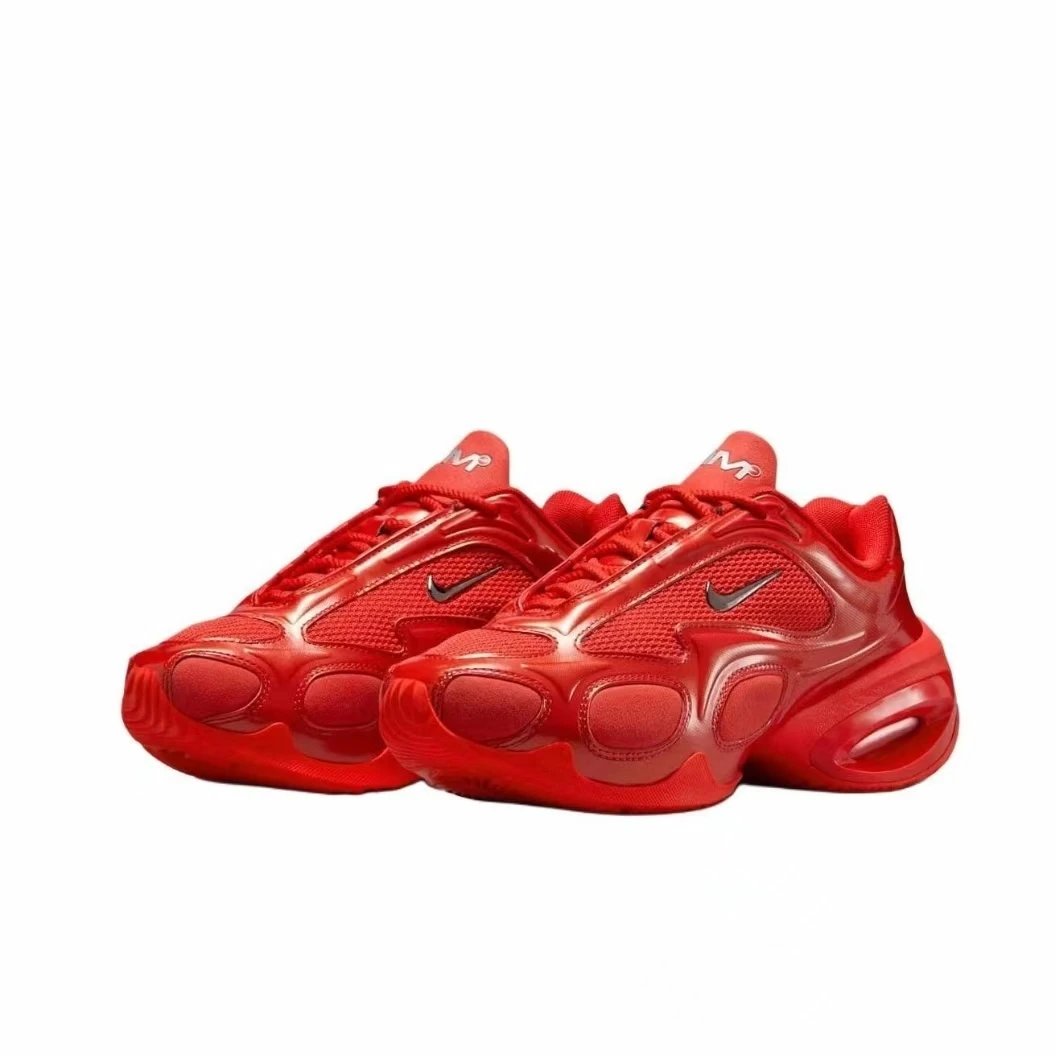
Shoes
Nike Air Max Plus 'University Red' Sneakers Chunky Sneakers
≈ ¥321.60 CNY
-

Hoodies & Sweaters
Corteiz Rules The World Hoodie Black
≈ ¥128 CNY
-

Sports Jerseys
Adidas Bayern Munich 2023-24 Third Kit White / Green Jersey and Black Shorts
≈ ¥174.80 CNY
-

Bags
Nike Just Do It Duffle Bag Navy
≈ ¥90.15 CNY
-

Jackets
Carhartt Work In Progress Coach Jacket Black Windbreaker
≈ ¥194.40 CNY
-

Electronics
Apple Watch with Hello Kitty x Nomination Charm Bracelet Band Multicolor Smartwatch Smartwatches
≈ ¥73.72 CNY
-
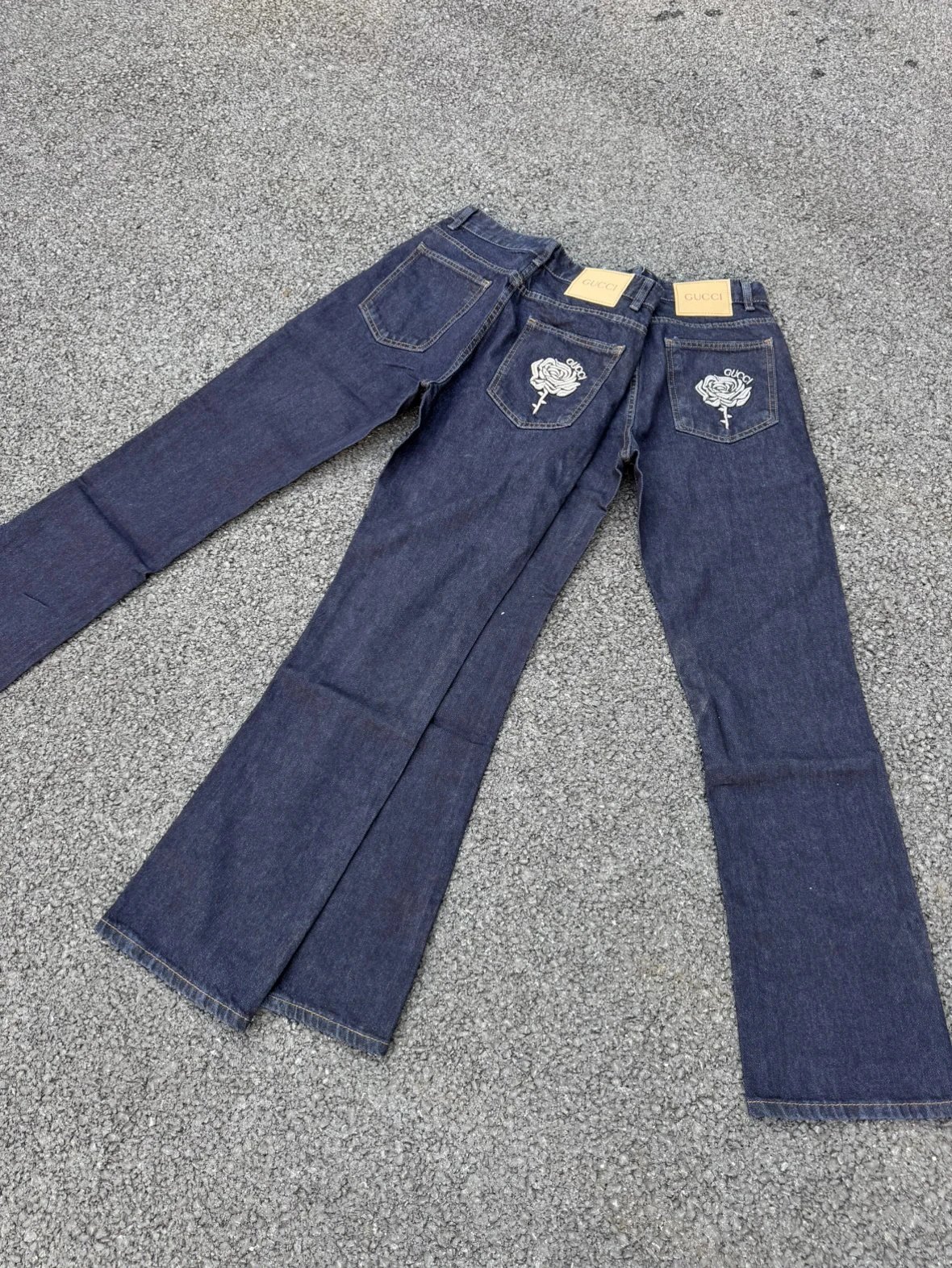
Pants & Shorts
Gucci Rose Embroidered Flared Jeans Navy
≈ ¥114 CNY
-

Accessories
Gucci Gg Marmont Long Wallet Light Gray Leather
≈ ¥960 CNY
-

Perfume
Louis Vuitton City of Stars California Les Sables Roses Eau de Parfum Set Perfume
≈ ¥162 CNY
-

Shoes
Valentino Garavani VLogo Runner Silver Metallic Sneakers
≈ ¥368 CNY
-

Hoodies & Sweaters
Balenciaga Logo Print Oversized Sweatshirt White Hoodie
≈ ¥180 CNY
-

Jewelry
Van Cleef & Arpels Alhambra Motif Ring Rose Gold with Diamonds Jewelry
≈ ¥195.50 CNY
-

Bags
Gucci GG Marmont Teddy Bear Print Tote Bag Beige Brown
≈ ¥297.60 CNY
-

Jackets
Moncler Maya Windbreaker Navy Blue Outerwear
≈ ¥372.96 CNY
-

Kids
Crocs Kids Lightning McQueen Clog Red Shoes
≈ ¥118.80 CNY
-

Pants & Shorts
Alo Yoga Classic Fleece Joggers Pink Sweatpants
≈ ¥155.70 CNY
-

Accessories
Gucci Shield Sunglasses Black Gradient with Gold Bee Accents
≈ ¥122.50 CNY
-

Shoes
Nike Mercurial Superfly IX Elite FG Multicolor Football Cleats
≈ ¥354 CNY
-

Hoodies & Sweaters
Chrome Hearts Graphic Print Black Hoodie
≈ ¥180 CNY
-

Bags
Gucci Dionysus Mini Bag Gold Leather Chain Crossbody Bag
≈ ¥312 CNY
-

Jackets
Descente Down Jacket Black Hooded Puffer Jacket
≈ ¥458 CNY
-

Pants & Shorts
Saint Tears Patchwork Sweatpants Gray
≈ ¥62 CNY
-

Accessories
Cartier C Décor Sunglasses Gray Gradient Gold Frame Sunglasses
≈ ¥122.50 CNY
-

Shoes
Air Jordan 1 Mid Beige Sneakers Basketball Shoes
≈ ¥360 CNY
-

Hoodies & Sweaters
Moncler Logo Patch Hoodie in Black, Navy, and Gray
≈ ¥118.80 CNY
-

Bags
Goyard Saint Louis Duffle Bag in Navy, Burgundy, Gray, Charcoal, and Green
≈ ¥102 CNY
-

Jackets
Stone Island Compass Logo Down Jacket Beige Outerwear
≈ ¥357.60 CNY
-

Pants & Shorts
Gallery Dept. Distressed Snake Embroidery Jeans Blue
≈ ¥89 CNY
-

Accessories
Cartier Panthère de Cartier Gradient Brown Sunglasses Eyewear
≈ ¥122.50 CNY
-

Shoes
Nike Air Max 1 'Patchwork' Multicolor Sneakers
≈ ¥220 CNY
-

Hoodies & Sweaters
Balenciaga Logo Graphic Print White Hoodie
≈ ¥178 CNY
-

Bags
Hermès Kelly Pochette Brown Leather Handbag
≈ ¥570 CNY
-

Jackets
Adidas Manchester United Track Jacket Black / Red Windbreaker
≈ ¥190 CNY
-

Pants & Shorts
Denim Tears Floral Embroidered Black Jeans
≈ ¥281.32 CNY
-

Accessories
Versace Medusa Icon Square Brown Gradient Sunglasses
≈ ¥168 CNY
-

Shoes
Nike Zoom Kobe 4 Protro 'Pink' Basketball Shoes
≈ ¥700 CNY
-

Hoodies & Sweaters
Air Jordan Half-Zip Pullover Hoodie Gray
≈ ¥205 CNY
-

Bags
Gucci Mini GG Marmont Dome Bag Beige Green Red Web Crossbody Bag
≈ ¥310.50 CNY
-

Jackets
Le Coq Sportif Windbreaker Jacket Blue and Gray Outerwear.windbreaker
≈ ¥263.72 CNY
-

Pants & Shorts
Gallery Dept Ripped Logo Washed Denim Jeans
≈ ¥113 CNY
-

Accessories
Chanel CC Logo Square Sunglasses White Black Gradient Lens
≈ ¥243 CNY
-

Shoes
Nike Shox R4 Black Iridescent Sneakers
≈ ¥260 CNY
-

Hoodies & Sweaters
Stone Island Patch Pocket Olive Green Hoodie
≈ ¥250 CNY
-

Bags
Dior Mini Book Tote Quilted Beige Backpack
≈ ¥314.28 CNY
-

Jackets
Louis Vuitton Monogram Camouflage Puffer Jacket Multicolor Down Jacket
≈ ¥400 CNY
-

Pants & Shorts
Balenciaga Logo-Embroidered Black Straight-Leg Jeans
≈ ¥270 CNY
-

Accessories
Prada Shield Sunglasses Black
≈ ¥144 CNY
-

Shoes
Adidas Samba Classic Beige Gum Sneakers
≈ ¥280 CNY
-

Hoodies & Sweaters
Stussy x A Bathing Ape Logo Graphic White Hoodie
≈ ¥139 CNY
-

Bags
Goyard Saint-Louis PM Black and Tan Crossbody Bag
≈ ¥320 CNY
-

Jackets
MLB x New Era NY Yankees Bomber Jacket Black Outerwear Jacket
≈ ¥268 CNY
-

Pants & Shorts
Chrome Hearts Cross Embroidered Dark Wash Jeans
≈ ¥228 CNY
-

Accessories
Nike Performance Gloves Black
≈ ¥106.25 CNY
-

Shoes
Balenciaga Track 2 White Silver Chunky Sneakers
≈ ¥297.60 CNY
-

Hoodies & Sweaters
Supreme Ronin Graphic Crewneck Sweatshirt Black Hoodie
≈ ¥111 CNY
-

Bags
Hermès Mini Kelly Pochette in White Patent Leather with Rodeo Charm and Silk Scarf
≈ ¥587.52 CNY
-

Jackets
Corteiz All Over Print Hooded Windbreaker Orange
≈ ¥262.80 CNY
-

Pants & Shorts
Gallery Dept. Wide-Leg Distressed Denim Jeans Blue
≈ ¥407 CNY
-

Accessories
Gucci GG Marmont Pink Acetate Sunglasses
≈ ¥122.50 CNY
-

Shoes
Onitsuka Tiger Serrano Brown White Yellow Sneakers
≈ ¥356.40 CNY
-

Hoodies & Sweaters
Vetements Paris France Oversized Hoodie Black
≈ ¥318 CNY
-

Bags
Chanel Mini Flap Bag Silver Quilted Lambskin Chain Handbag
≈ ¥513.60 CNY
-

Jackets
Adidas Down Jacket Black with White Stripes Long Parka
≈ ¥600 CNY
-

Pants & Shorts
Adidas Originals Wide-Leg Denim Pants Black with White Triple Stripes Jeans
≈ ¥167.40 CNY
-

Accessories
Fendi FF Logo White Acetate Sunglasses with Gradient Purple Lenses
≈ ¥88 CNY
-

Shoes
Nike Mercurial Superfly VII KM Blue Yellow Football Cleats
≈ ¥325 CNY
-

Hoodies & Sweaters
Saint Tears Worldwide Tour Hoodie Gray
≈ ¥228 CNY
-

Bags
Coach Mollie Tote Bag Ice White
≈ ¥295 CNY
-

Jackets
Stussy Down Jacket Black Glossy Puffer Outerwear
≈ ¥510 CNY
-

Pants & Shorts
Denim Tears x Ksubi All Over Print Denim Jeans Blue
≈ ¥286 CNY
-

Accessories
Saint Laurent Square Frame Black Sunglasses
≈ ¥88 CNY
-

Shoes
Chanel Ballerina Flats Black Patent Leather with CC Bow Detail Casual Shoes
≈ ¥209 CNY
-

Hoodies & Sweaters
A Bathing Ape Plaid猿人头 Hoodie Black
≈ ¥205 CNY
-

Bags
Prada Re-Nylon Backpack Gray
≈ ¥498 CNY
-

Jackets
NOCTA x Nike Down Jacket Yellow
≈ ¥575 CNY
-

Pants & Shorts
Corteiz Logo Sweatpants Black
≈ ¥305 CNY
-

Accessories
Dior CD Buckle Belt White Leather Belt
≈ ¥188 CNY
-

Shoes
Off-White c/o Virgil Abloh Pink and White Low-Top Sneakers
≈ ¥329 CNY
-

Hoodies & Sweaters
Balenciaga Script Logo Black Hoodie
≈ ¥263.50 CNY
-

Bags
Air Jordan All-Over Print Black Backpack
≈ ¥100 CNY
-

Jackets
The North Face Sherpa Fleece Puffer Jacket Beige Down Jacket
≈ ¥240 CNY
-

Pants & Shorts
SYNA Pink Graffiti Logo Black Sweatpants
≈ ¥182.24 CNY
-

Accessories
Palm Angels Palm Logo Tortoiseshell Sunglasses
≈ ¥135.70 CNY
-

Shoes
Dior B23 Multicolor Chunky Sneakers
≈ ¥480 CNY
-

Hoodies & Sweaters
Vetements x The Lucky T-Shirt Company 'I Just Got Lucky' Graphic Hoodie
≈ ¥218.28 CNY
-

Bags
Tory Burch Miller Mini Top Handle Bag Dusty Pink Handbag
≈ ¥200 CNY
-

Jackets
Prada Re-Nylon Down Jacket White
≈ ¥399.60 CNY
-

Pants & Shorts
Corteiz Logo Print Light Blue Sweatpants
≈ ¥241.92 CNY
-

Accessories
Ray-Ban Aviator 3517A5 Brown Gradient Sunglasses
≈ ¥128 CNY
-

Shoes
Prada Re-Nylon Mesh Sneakers Navy Black
≈ ¥460.80 CNY
-

Hoodies & Sweaters
Supreme Heaven and Earth Graphic Crewneck Sweatshirt White Hoodie
≈ ¥151.34 CNY
-

Bags
Burberry x Gucci Inspired Check Pattern Phone Crossbody Bag with Web Strap
≈ ¥158 CNY
-

Jackets
The North Face Mountain Light Jacket Graphite Print Gore-Tex Jacket Outerwear
≈ ¥400 CNY
-

Pants & Shorts
Amiri Distressed Logo Print Black Jeans
≈ ¥280 CNY
-

Accessories
Versace Medusa Aviator Pink Mirror Sunglasses
≈ ¥71.10 CNY
-

Shoes
Gucci New Ace Denim GG Print Sneakers
≈ ¥337.50 CNY
-

Hoodies & Sweaters
Chrome Hearts x Link Build Orange Graphic Hoodie
≈ ¥234.90 CNY
-

Bags
Goyard Saint Louis Mini Burgundy Canvas Handbag
≈ ¥372.30 CNY
-

Jackets
Patagonia Trespasser Jacket Black Outerwear
≈ ¥272 CNY
-

Pants & Shorts
Amiri Star-Embellished Black Denim Jeans
≈ ¥280 CNY
-

Accessories
Versace Clear Acetate Sunglasses with Gold Logo
≈ ¥135.70 CNY
-

Shoes
Prada Re-Nylon Arena Sneakers Black and White Chunky Sneakers
≈ ¥328 CNY
-

Hoodies & Sweaters
Louis Vuitton The Original Craftsmanship Graphic Sweatshirt White Hoodie
≈ ¥207 CNY
-

Bags
Coach Chain Tabby Quilted Black and Silver Crossbody Bag
≈ ¥520 CNY
-

Jackets
Saint Tears Glossy Puffer Jacket Black
≈ ¥650.76 CNY
-

Pants & Shorts
Stone Island Shadow Project New York Sweatpants Navy
≈ ¥194.40 CNY
-

Accessories
Chanel Shield Sunglasses Black with CC Logo Sunglasses
≈ ¥105.60 CNY
-

Shoes
Louis Vuitton Trainer White Monogram Canvas Sneakers
≈ ¥470 CNY
-

Hoodies & Sweaters
Burberry Check-Trim Hoodie Gray Full-Zip Hoodie
≈ ¥250.80 CNY
-

Bags
Prada Re-Nylon Backpack Black
≈ ¥345 CNY
-

Jackets
Dior Oblique Monogram Puffer Jacket Silver Gray Down-Jacket
≈ ¥258 CNY
-

Pants & Shorts
Dior Oblique Print Waistband Jeans Black
≈ ¥210 CNY
-

Accessories
Vans Skate Sunglasses Orange Frame Black Lens Sunglasses Eyewear
≈ ¥110.60 CNY
-

Shoes
Adidas Originals Superstar Patchwork Beige Green Brown Sneakers
≈ ¥260 CNY
-

Hoodies & Sweaters
Off-White Industrial Arrow Print Black Hoodie
≈ ¥260 CNY
-

Bags
Prada Symbolic Triangle-Print Navy and Beige Tote Bag
≈ ¥328 CNY
-

Jackets
The North Face Expedition Parka Beige Outerwear
≈ ¥400 CNY
-

Pants & Shorts
About:Blank Wide-Leg Drawstring Waist White Jeans
≈ ¥235.20 CNY
-

Accessories
Prada SPR17W-F Mint Green Square Sunglasses
≈ ¥198.33 CNY
-

Shoes
Off-White Diagonal Zip High-Top Sneakers White with Orange Accents
≈ ¥435.29 CNY
-

Hoodies & Sweaters
Broken Planet Spiky Hoodie Beige Hoodie
≈ ¥99 CNY
-

Bags
Hermès Mini Kelly II Black Epsom Leather Handbag with Gold Hardware
≈ ¥420 CNY
-

Jackets
Corteiz Windbreaker Jacket Black with Neon Yellow Accents
≈ ¥295.20 CNY
-

Pants & Shorts
DSQUARED2 Paint Splatter Distressed Skinny Jeans Blue
≈ ¥249 CNY
-

Accessories
Hermès Collier de Chien Belt Black Leather with Gold Hardware
≈ ¥138 CNY
-

Shoes
Prada Linea Rossa Black Leather Sneakers
≈ ¥358 CNY
-

Hoodies & Sweaters
Broken Planet Cosmic Speed Navy Hoodie
≈ ¥144 CNY
-

Bags
Burberry Check Print Equestrian Knight Crossbody Bag Black Beige
≈ ¥459.60 CNY
-

Jackets
Corteiz RTW Camo Windbreaker Jacket Outerwear.windbreaker
≈ ¥169 CNY
-

Pants & Shorts
Adidas Originals Track Pants Beige with Navy Stripes Sweatpants
≈ ¥190.80 CNY
-

Accessories
Dior Oblique Logo Belt Beige Leather Belt
≈ ¥188 CNY
-

Shoes
A Bathing Ape x Nike Air Force 1 Low Teal Camo Sneakers
≈ ¥188 CNY
-

Hoodies & Sweaters
Louis Vuitton Studios Graphic Hoodie Black
≈ ¥228 CNY
-

Bags
Fendi FF Logo Monogram Brown Beige Backpack
≈ ¥540 CNY
-

Jackets
Corteiz Flamengo Collaboration Windbreaker Black
≈ ¥185 CNY
-

Pants & Shorts
Fear of God Essentials Jogger Gray Sweatpants
≈ ¥115 CNY
-

Accessories
Chrome Hearts Joker Playing Cards Black and White
≈ ¥49 CNY
-

Shoes
Balenciaga Track Trainer Black Leather Sneakers Chunky Sneakers
≈ ¥131.10 CNY
-

Hoodies & Sweaters
Broken Planet Out of the Shadows Hoodie Black
≈ ¥106.80 CNY
-

Bags
Alo Gray Marble Print Tote Bag
≈ ¥87.50 CNY
-

Jackets
C.P. Company Goggle Jacket Red / White / Black Outerwear
≈ ¥540 CNY
-

Pants & Shorts
Fear of God Essentials Jogger Pants Mustard Yellow Sweatpants
≈ ¥153.20 CNY
-

Accessories
Dior CD Icon Belt Tan Leather Belt
≈ ¥188 CNY
-
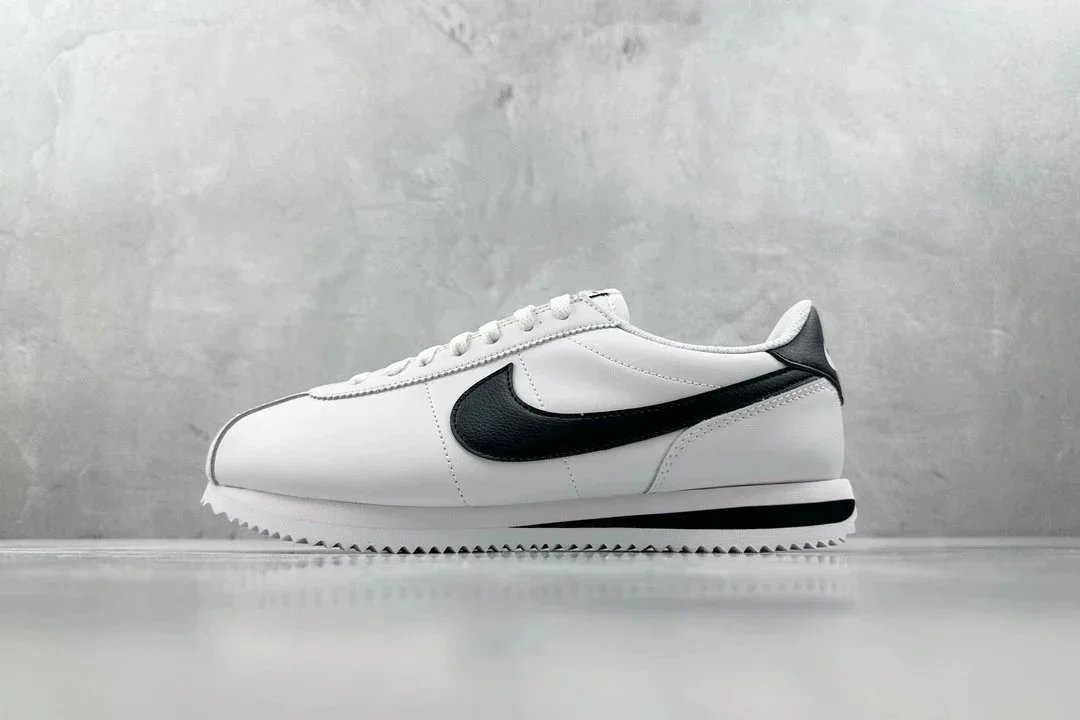
Shoes
Nike Cortez White / Black Sneakers
≈ ¥216 CNY
-

Hoodies & Sweaters
Supreme Hedge Shears Crewneck Black Sweatshirt Hoodie
≈ ¥141.07 CNY
-

Bags
Goyard Saint Louis Mini Gray Monogram Crossbody Bag
≈ ¥189 CNY
-

Jackets
Moncler Maya Navy Down Jacket with Fur Trim
≈ ¥374 CNY
-

Pants & Shorts
Louis Vuitton Monogram Embossed Black Denim Jeans
≈ ¥249 CNY
-

Accessories
Chanel Boy Wallet Red Quilted Lambskin Gold Hardware Wallet
≈ ¥180 CNY
-

Shoes
Air Jordan Flight Court Phantom / Deep Royal Blue Sneakers
≈ ¥268 CNY
-

Hoodies & Sweaters
Louis Vuitton Painted Monogram White Hoodie
≈ ¥156.96 CNY
-

Bags
Longchamp Le Pliage Neo Canvas Tote Bag Beige with Brown Leather Trim Handbags
≈ ¥296.17 CNY
-

Jackets
Canada Goose Classic Vestige Gray Parka with Real Fur Trim
≈ ¥658.80 CNY
-

Pants & Shorts
Louis Vuitton Monogram Embroidered Wide-Leg Jeans Light Blue
≈ ¥286.80 CNY
-

Accessories
Chanel Classic Flap Card Holder Black Caviar Leather Wallet
≈ ¥114.24 CNY
-

Shoes
Saucony Triumph 20 PWRUN+ White Lime Teal Running Shoes
≈ ¥270 CNY
-

Hoodies & Sweaters
Gucci Oversized Logo Hoodie Gray
≈ ¥225 CNY
-

Bags
Bottega Veneta The Cylinder Bag Black Leather Crossbody Bag
≈ ¥456 CNY
-

Jackets
Moncler Windbreaker Jacket Black with White Stripe
≈ ¥340.20 CNY
-

Pants & Shorts
Louis Vuitton Monogram Patch Black Jeans
≈ ¥289 CNY
-

Accessories
Burberry Square Frame Check Print Sunglasses
≈ ¥243 CNY
-
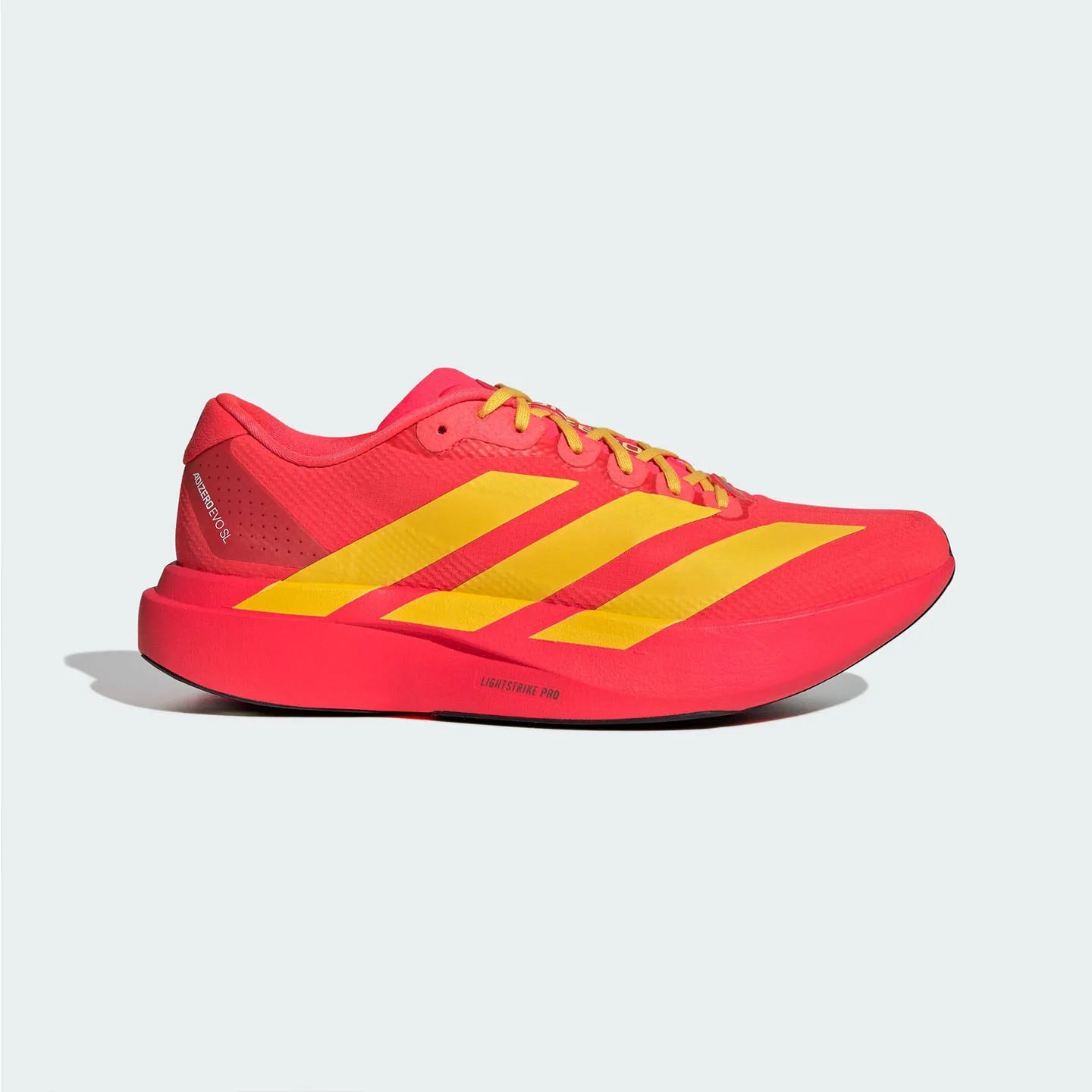
Shoes
Adidas Adizero Evo SL Red Yellow Running Shoes
≈ ¥223.20 CNY
-

Hoodies & Sweaters
Broken Planet Twin Flames Gray Zip-Up Hoodie
≈ ¥126 CNY
-

Bags
Coach x Peanuts Snoopy C5511 Signature Canvas Backpack in Charcoal Gray with Blue Accents
≈ ¥350 CNY
-

Jackets
Dior B23 Bee Logo Windbreaker Black Jacket Outerwear.windbreaker
≈ ¥288 CNY
-

Pants & Shorts
Dior Oblique Print Jeans Dark Wash
≈ ¥280 CNY
-

Shoes
New Balance 9060 Cream Glow Sneakers Chunky Sneakers
≈ ¥322.20 CNY
-

Hoodies & Sweaters
Burberry Logo Patch Hoodie Black
≈ ¥218 CNY
-

Bags
Saint Laurent Loulou Mini Quilted Black Leather Handbag
≈ ¥155 CNY
-

Jackets
Arsenal FC Track Jacket Navy with Pink and Cyan Zigzag Stripes Windbreaker Outerwear.windbreaker
≈ ¥290.70 CNY
-

Pants & Shorts
Purple Brand Flared Jeans Black with Radiant Stitch Detail
≈ ¥204.75 CNY
-

Shoes
Nike Pegasus Trail 4 Women's Sage Green Pink Running Shoes
≈ ¥268 CNY
-

Hoodies & Sweaters
A Bathing Ape x Hello Kitty Pink Camo Hoodie
≈ ¥270.60 CNY
-

Bags
Michael Kors Signature Monogram Tote Bag Brown
≈ ¥311.60 CNY
-

Jackets
Carhartt Work In Progress M-65 Field Jacket Olive Green Jacket Outerwear
≈ ¥798 CNY
-

Pants & Shorts
Stüssy Circle Logo Straight Fit Jeans Blue
≈ ¥285.60 CNY
-

Shoes
Louis Vuitton Archlight Sneakers Black White Gum Sole Sneakers Chunky Sneakers
≈ ¥637.20 CNY
-

Hoodies & Sweaters
The North Face Mount Everest Graphic Hoodie Black
≈ ¥178.80 CNY
-

Bags
Chanel Mini Backpack Light Blue Quilted Calfskin with Gold Hardware
≈ ¥364.80 CNY
-

Jackets
Dior Oblique Monogram Windbreaker Blue Jacket Outerwear.windbreaker
≈ ¥294 CNY
-

Pants & Shorts
Carhartt Work In Progress Loose Fit Light Wash Jeans
≈ ¥118 CNY
-

Shoes
Air Jordan 4 Retro 'Purple suede' Sneakers
≈ ¥460 CNY
-

Hoodies & Sweaters
Burberry Protection Logo Hoodie White
≈ ¥128 CNY
-

Bags
Chanel Boy Bag Light Blue Quilted Lambskin Crossbody Bag
≈ ¥398 CNY
-

Jackets
Nike Puffer Jacket Army Green Down-Jacket
≈ ¥561 CNY
-

Pants & Shorts
Amiri Distressed Logo Jeans Light Wash Blue Jeans
≈ ¥236 CNY
-

Shoes
Balenciaga Speed Trainer Black White Red Sneakers
≈ ¥262.80 CNY
-

Hoodies & Sweaters
Vetements Outline Logo Hoodie Black
≈ ¥345.60 CNY
-

Bags
Lacoste Monogram Black Crossbody Bag with Detachable Pouch
≈ ¥178 CNY
-

Jackets
Lacoste Windbreaker Jacket Navy and White
≈ ¥160 CNY
-

Pants & Shorts
Supreme Box Logo Relaxed Fit Jeans Blue
≈ ¥339.84 CNY
-

Shoes
Dolce & Gabbana DG Logo Low-Top White and Burgundy Sneakers
≈ ¥345.60 CNY
-

Hoodies & Sweaters
Amiri Rainbow Bandana Hoodie Black
≈ ¥181.80 CNY
-

Bags
Hermès Lindy 26 Pink Leather Handbag with Silk Scarf
≈ ¥741.60 CNY
-

Jackets
Alo Fleece Zip-Up Jacket Burgundy Activewear Outerwear
≈ ¥148 CNY
-

Pants & Shorts
Saint Tears Logo Patch Black Jeans
≈ ¥210 CNY
-

Shoes
Dolce & Gabbana Heart-Embellished White Sneakers
≈ ¥480 CNY
-

Hoodies & Sweaters
Supreme Sunset Basketball Crewneck Gray Sweatshirt Hoodie
≈ ¥141.07 CNY
-

Bags
Adidas Originals Classic Trefoil Black Backpack
≈ ¥199 CNY
-

Jackets
Dior Mesh Track Jacket Black Outerwear
≈ ¥732 CNY
-

Pants & Shorts
Chrome Hearts Flame Print Sweatpants Gray
≈ ¥220 CNY
-

Shoes
Adidas Originals Adidas Forum 84 Low Black Sneakers
≈ ¥380 CNY
-

Hoodies & Sweaters
Stüssy City Series Black Oversized Crewneck Sweatshirt
≈ ¥195 CNY
-

Bags
Bottega Veneta Cassette Mini Woven Taupe Handbag
≈ ¥553 CNY
-

Jackets
Dior Men's White Satin Bomber Jacket
≈ ¥591.60 CNY
-

Pants & Shorts
Saint Tears Blood of the Son Distressed Beige Sweatpants
≈ ¥240 CNY
-

Shoes
Gucci x Nike Air Force 1 Low Multicolor Sneakers with Gucci Logo T-Shirt and Shorts Set
≈ ¥118.80 CNY
-

Hoodies & Sweaters
Stussy Dragon Graphic Crewneck Sweatshirt Black Hoodie
≈ ¥159.80 CNY
-

Bags
Nike Elite Backpack Red / Black
≈ ¥160 CNY
-

Jackets
Dior Oblique Logo Oversized Bomber Jacket Black
≈ ¥205 CNY
-

Pants & Shorts
Balenciaga 88 Distressed Black Jeans
≈ ¥340 CNY
-

Shoes
Vans Style 36 Checkerboard Green/White Skateboard Shoes
≈ ¥199 CNY
-

Hoodies & Sweaters
Stussy Dover Street Market New York Zip-Up Hoodie White
≈ ¥268 CNY
-

Bags
Coach Denim Signature Mini Backpack Blue
≈ ¥377 CNY
-

Shoes
Dior B23 Orange Gray White Chunky Sneakers
≈ ¥348 CNY
-

Hoodies & Sweaters
Amiri Arts District Hoodie Black
≈ ¥213.62 CNY
-
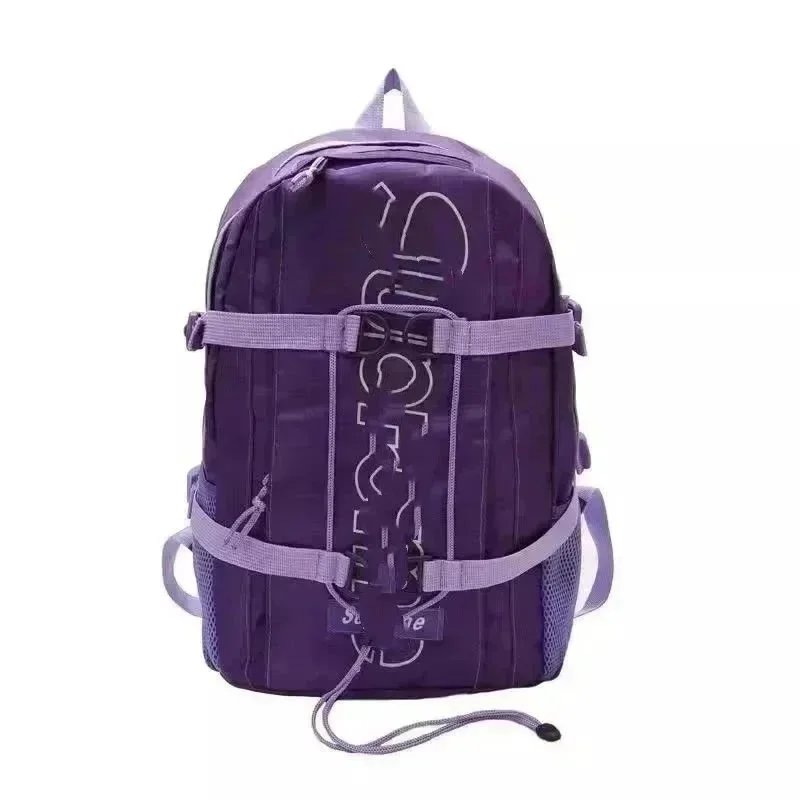
Bags
Supreme Logo Tape Backpack Purple
≈ ¥99 CNY
-

Shoes
Vans Slip-On SNS Sketch Print White / Blue Sneakers Skateboard Shoes
≈ ¥275 CNY
-

Hoodies & Sweaters
Chrome Hearts Skull & Crossbones Hoodie Black
≈ ¥237.77 CNY
-

Bags
Valentino Garavani Roman Stud Lace Tote Bag Beige Handbag
≈ ¥733 CNY
-

Shoes
Prada Re-Nylon Platform Sneakers White Chunky Sneakers
≈ ¥470 CNY
-

Hoodies & Sweaters
Moncler Genius x Fragment Design Graphic Hoodie Black
≈ ¥275 CNY
-

Bags
Chanel Quilted Pink Tote Bag
≈ ¥347 CNY
-

Shoes
Prada Re-Nylon Sneakers White Sneakers
≈ ¥378 CNY
-

Hoodies & Sweaters
Saint Tears Cupid Hearts Pink Hoodie
≈ ¥336 CNY
-

Bags
Chanel Deauville Tote Pink Tweed Handbag Tote Bag
≈ ¥380 CNY
-

Shoes
New Balance 878 Pink Beige Chunky Sneakers
≈ ¥216 CNY
-

Hoodies & Sweaters
Vetements Antwerpen Belgium Hoodie Black
≈ ¥332.10 CNY
-

Bags
Chanel Quilted Cardholder Phone Case Pink Crossbody Crossbody Bags
≈ ¥148 CNY
-

Shoes
Valentino Rockstud Flat Beige Patent Leather Pointed-Toe Flat Shoes Casual Shoes
≈ ¥275 CNY
-

Hoodies & Sweaters
Lacoste Classic Croc Embroidered Hoodie Beige
≈ ¥192 CNY
-

Bags
Alo Tie-Dye Logo Tote Bag Navy and White
≈ ¥62.50 CNY
-

Shoes
Holy Kicks x Star Wars Dunk Low Camo Yellow Sneakers
≈ ¥358.80 CNY
-

Hoodies & Sweaters
Amiri Wings Crown Graphic Beige Hoodie
≈ ¥170 CNY
-

Bags
Bottega Veneta Cassette Tote Black Woven Leather Handbag
≈ ¥744 CNY
-

Shoes
Maison Margiela Replica Sneakers Orange Suede Sneakers
≈ ¥420 CNY
-

Hoodies & Sweaters
Fendi FF Logo Print Black Hoodie
≈ ¥152 CNY
-

Bags
C.P. Company Goggle Pocket Crossbody Bag Turquoise
≈ ¥236 CNY
-

Shoes
Valentino Rockstud Low-Top Sneakers Black and White
≈ ¥520 CNY
-

Hoodies & Sweaters
Dior Painted Logo White Hoodie
≈ ¥391 CNY
-

Bags
Dior Oblique Monogram Black and White Crossbody Phone Case
≈ ¥166 CNY
-

Shoes
Adidas Ultraboost 22 Black Blue Yellow Running Shoes
≈ ¥255 CNY
-

Hoodies & Sweaters
Dior CD Signature Beige Sweatshirt Hoodie
≈ ¥200 CNY
-

Bags
Nike Sportswear Heritage Backpack Black
≈ ¥129 CNY
-

Shoes
Golden Goose Deluxe Brand Super-Star Glitter Gold Venice Sneakers
≈ ¥340 CNY
-

Hoodies & Sweaters
Stone Island Hoodie Gray with Compass Rose Logo
≈ ¥158 CNY
-

Shoes
Adidas Originals NMD R1 Camo Olive Burgundy Sneakers
≈ ¥299 CNY
-

Hoodies & Sweaters
Broken Planet Cosmic Swirl Hoodie Black
≈ ¥170 CNY
-

Shoes
Maison Margiela Tabi Mary Jane Yellow Leather Shoes
≈ ¥294 CNY
-

Hoodies & Sweaters
Tommy Hilfiger Established 1985 White Hoodie
≈ ¥145 CNY
-

Shoes
Prada Re-Nylon Platform Sneakers Gray Chunky Sneakers
≈ ¥430 CNY
-

Hoodies & Sweaters
Lacoste Crocodile Logo White Hoodie
≈ ¥201.60 CNY
-

Shoes
Golden Goose Ball Star White Beige Chunky Sneakers
≈ ¥698.10 CNY
-

Hoodies & Sweaters
Balenciaga Lenciaga Distressed Hoodie Navy
≈ ¥293.25 CNY
-

Shoes
Golden Goose Deluxe Brand Super-Star Rainbow Patch Black Sneakers Chunky Sneakers
≈ ¥415 CNY
-

Hoodies & Sweaters
Chrome Hearts Sword & Floral Hoodie Light Blue Hoodie
≈ ¥315.36 CNY
-

Shoes
Off-White x Nike Air Force 1 Low Blue and White Sneakers
≈ ¥528 CNY
-

Hoodies & Sweaters
Amiri Bone Print Crewneck Sweatshirt Black
≈ ¥250 CNY
-

Shoes
Miu Miu Canvas Sneakers Brown with Cream Laces Canvas Shoes
≈ ¥486 CNY
-

Hoodies & Sweaters
Supreme 'PREME' Hoodie Navy
≈ ¥219 CNY
-

Shoes
Air Jordan Retro 12 White University Red Sneakers Basketball Shoes
≈ ¥220 CNY
-

Hoodies & Sweaters
Amiri Tiger Embroidered Cropped Sweatshirt Navy
≈ ¥109 CNY
-

Shoes
Crocs Classic Platform Clog White Casual Shoes
≈ ¥98 CNY
-

Hoodies & Sweaters
Corteiz Dog Hoodie Gray
≈ ¥128 CNY
-

Shoes
Miu Miu Floral Embellished Canvas Sneakers Brown
≈ ¥522 CNY
-
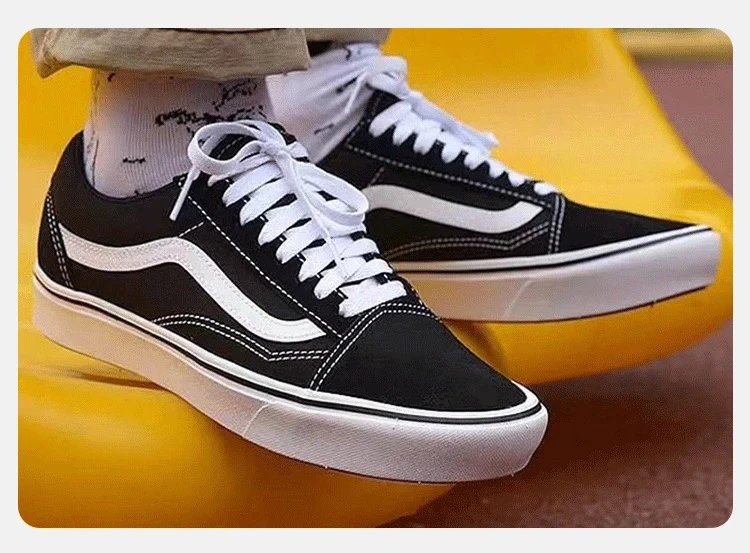
Shoes
Vans Old Skool Black and White Sneakers Skateboard Shoes
≈ ¥35.88 CNY
-

Shoes
Louis Vuitton Archlight Multicolor Charm Sneakers
≈ ¥686 CNY
-

Shoes
Vans Slip-On Checkerboard Black and White Canvas Shoes
≈ ¥201.60 CNY
-

Shoes
New Balance 574 x Holy Kicks Distressed White Sneakers
≈ ¥320 CNY
How to order with Superbuy
Use the spreadsheet to find an item, then place the order on Superbuy. Check the warehouse photos before you pay to ship the parcel internationally.
- Find the original seller link. Open the item on FindsIndex. Check the seller, current price, and size chart, then copy the original seller’s product URL if it’s available.
- Place your order on Superbuy. Paste the seller URL into Superbuy’s search box. Select the color, size, and quantity. Check shipping restrictions for your destination, then review the item price and domestic delivery fee before paying.
- Follow the order to the warehouse. Superbuy buys the item for you, and the seller sends it to the warehouse. Watch your Superbuy messages in case the agent needs you to confirm a detail.
- Review the quality check (QC) photos. In My Warehouse, compare the photos with your order. Check the size label, color, quantity, and visible condition. If something looks wrong, contact Superbuy before including that item in a parcel.
- Submit a parcel for international delivery. Select the items to ship in My Warehouse, confirm your address, and choose an available shipping line. Review the estimate before paying. The final charge depends on the packed parcel’s weight and dimensions.
- Track the delivery. Once it ships, open My Parcel to follow the tracking updates.
Superbuy spreadsheet FAQ
What is a Superbuy spreadsheet?
It’s a product directory you can use to compare photos, reference prices, and seller listings before ordering through Superbuy.
Which link do I paste into Superbuy?
Product cards open on FindsIndex. From there, look for the original seller’s listing and paste that product URL into Superbuy. If the link doesn’t load, try searching by the product name or ask Superbuy if it can accept the listing.
Does the listed price include shipping?
Prices shown here are item estimates. Superbuy shows any domestic delivery fee when you place the item order. You pay for international shipping separately when you submit a parcel. The shipping estimate can change once it’s packed and measured.
What if the warehouse photos show the wrong item or damage?
Keep the affected item in the warehouse and contact Superbuy through the order. Include the order number, the relevant photos, and what you expected to receive. Ask whether a return or exchange is available and confirm any deadline or fees before shipping.
What if my parcel is delayed, damaged, or missing an item?
Check the tracking in My Parcel. If you need help, open After-Sales in the Superbuy Help Center and include the parcel number. For damage or missing items, keep the packaging and take photos of the parcel label, packaging, and contents.